
zz77 App — Download on Mobile and Play Right Away
Runs on low data, loads fast. Download the zz77 Android APK directly from the official site — no third-party stores, no hidden fees. Version 2.6.11 is now available.
Downloaded from the official site — safe and virus-free

About the App: Version, Size & Supported Devices
| Details | Info |
|---|---|
| Current Version | 2.6.11 |
| File Size | 45 MB |
| Android Minimum | Android 6.0 (Marshmallow) |
| Last Updated | 26 November 2026 |
| Price | Completely Free |
| Language | Bengali · English |
| iOS Support | PWA — Add to Home Screen |
How to Use on iPhone or iPad
zz77 App is not available on the App Store — but if you save the full site to your home screen via Safari, it works just like a mobile app.
Having trouble logging in or registering? Check the Login Guide.
One App, Everything at Your Fingertips
- Deposits from bKash or Nagad go through in just 5 minutes — no browser reload needed.
- Slots, fishing, lottery and sports betting all in one app — no need to download separate apps.
- Push notifications before matches start — never miss an opportunity.
- Low data mode: pages load even on a weak network — works on a 3G connection too.
- Every session is encrypted — your personal and financial information stays protected.
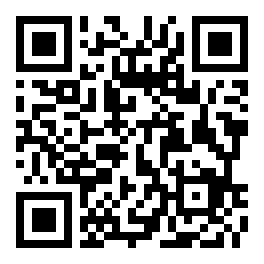
Scan the QR code
for a direct download
How to Install the zz77 APK on Your Android Phone
The steps below work on all devices running Android 6.0 or above. Each step explains exactly what you will see on screen.
-
1
Allow Installation from Unknown Sources
To download an APK from outside the Google Play Store, you need to change one setting first.
Android 8.0 or above: Settings → Apps → your browser app (Chrome/Firefox) → Install unknown apps → turn it on.
Android 7 or below: Settings → Security → Unknown sources → turn it on.You can turn this setting off again after installation — it is good practice for security.
-
2
Download the APK
Tap any "Download APK" button on this page. The file will be saved to your phone's Downloads folder — filename zz77.apk, size 45 MB.
The download bar will appear at the bottom of your browser. Do not turn off your internet connection before the download is complete — an incomplete file will not install.
-
3
Tap the APK File to Install
Once the download is done, you'll see zz77.apk in your notifications — tap on it. Or open File Manager, go to the Downloads folder, and open the file from there.
An install screen will appear. Tap the "Install" button. Installation usually takes 15–30 seconds.
-
4
Launch the App for the First Time
After installation, tap "Open" or tap the zz77 icon on your home screen. The app may take 5–8 seconds to load the first time — that's completely normal.
If you see a "Play Protect" warning, select "Install anyway" — this is Google's default alert and doesn't mean there's anything wrong with the file.
-
5
Log In or Create a New Account
If you already have an account, log in with your phone number and password. New to zz77? Go to the Register page and open your account in 3 minutes — you can do it right from inside the app.
Having Trouble? Check Here
| Issue | Solution |
|---|---|
| Showing "Parse error" | The file didn't download completely — delete it and download again. |
| Install button is greyed out | Less than 50 MB storage available — free up space by deleting other files. |
| Android 5 or older device | App is not supported — use the site through your browser instead. |
| White screen after opening the app | Check your internet connection, then close the app and reopen it. |
Make Sure Before You Install
- Android version 6.0 or above
- At least 50 MB free storage on your phone
- Stable internet connection (Wi-Fi or 4G)
- "Install unknown apps" permission enabled in your browser
- Wait for the download to complete fully
How to Update the App?
When a new version is available, you'll get a notification inside the app. You can download the new APK directly from there — no need to come back to this page. The updated APK installs over the existing app, so your account details stay intact.
Is the APK Safe?
The APK downloaded from zz77.click's official server is free from malware. Do not use files downloaded from third-party sites — those may have been modified.
Six Reasons to Choose the App Over the Browser
The zz77 App is more than just the mobile version of the site — it has features you won't find in a browser. Check out the six features below and see which ones matter most to you.
No more typing your phone number and password every time. Set up a PIN or fingerprint once and the app opens in under 3 seconds. You'll never get locked out from forgetting your password again. For any login issues, check the Login guide.
Get alerts straight to your screen before a match starts, when a goal is scored, or when a new offer drops — even when the app is closed. No need to keep checking the site. You can turn notifications on or off for specific events from Settings.
The app is built with mobile data in mind. Images are compressed automatically and unnecessary scripts don't load. Games open and betting slips submit quickly even on 3G or a weak signal. Whether you're in a rural area or on the move, the experience stays consistent.
bKash, Nagad, Rocket, and Upay — all four wallets work right inside the app. No browser switching, no new payment gateway pages opening up. Minimum deposit is ৳500 and your balance is updated within 5 minutes. For full deposit details, check the Deposit Guide.
Your current balance, latest deposits and withdrawals, and active bet status are all visible right from the home screen. Transaction history is saved for up to 90 days. To withdraw, just submit a request from the App — it usually completes within 17 minutes. For more details, check the Withdrawal Guide.
Place in-play bets on a live match, then switch to JILI or CQ9 slots on the next tab — no page reload needed. Use the bottom menu in the App to jump between Sports, Casino, and Fishing with a single tap. To browse the full game lobby, head to the Casino Hall.
Real Example: Match at 10 PM, Ready in 8 Minutes
A Premier League match kicks off at 10 PM. A push notification arrived on the App at 9:52. Tap the notification — fingerprint login done in 3 seconds. Deposit ৳1,000 via bKash — balance credited in 5 minutes. Bet placed, everything sorted before the match began. Doing the same on a browser would take 18–22 minutes — loading the login page, typing your password, then navigating to the payment page.
Frequently Asked Questions About the zz77 App
From download to updates — answers to the questions we hear most often.
- Is the zz77 APK virus-free — has it been scanned by a third-party scanner?
- Yes. The APK file downloaded from zz77.click's official server contains no malware or spyware. Before installation, Android's Google Play Protect automatically scans the file. However, zz77 APK files from third-party sites or Telegram groups cannot be trusted — they may be modified and could contain harmful code. Always download directly from this page.
- Why isn't the zz77 App on Google Play?
- Google Play Store policy does not allow real-money gaming apps to be listed directly in Bangladesh. That's why zz77 and most other betting platforms distribute their APK directly from their own site. There's no security concern with this — you just need to allow "Unknown sources", which can be turned off again after installation.
- How do I update when a new version is released — do I have to uninstall the old App first?
- No, you don't need to uninstall the old App. When a new version is available (for example, any update after 2.6.11), a notification will appear inside the App. Just download the new APK from there and install it — it installs over the existing App, keeping your account details and history intact.
- Can two separate accounts be used on the same phone at the same time?
- No. Under zz77's policy, only one active account is allowed per device. If you try to log in with a second account on the same phone, the first session is automatically logged out. Keeping two accounts is also against the rules and may result in account suspension.
- The App won't open or keeps crashing after installation — what should I do?
- First, restart your phone and try again. If that doesn't work, go to Settings → Apps → zz77 → "Clear cache". If the problem continues, uninstall the App and download the APK fresh from this page to reinstall. The App does not support Android below 6.0 — if your phone runs an older version, use the site through your browser instead.
- Is there any way to use the App on iPhone or iPad without the App Store?
- APK cannot be installed on iOS. However, you can open zz77.click in Safari and tap "Share → Add to Home Screen" to save it as a PWA (Progressive Web App). It runs full-screen just like a native app, supports notifications, and keeps your login session active. For detailed steps, see the "App Info" section at the top of this page.
- Can I still play and make deposits/withdrawals using an older version of the App?
- Generally yes, but older versions may not show new games or payment methods. After a major update, an older version may temporarily stop working — in that case, you'll receive an update notification directly in the App. For the best experience, always use the latest version (currently 2.6.11).
App downloaded? Now open your account
After installing the zz77 App, the first step is creating your account. When you register, you're eligible for a 225% welcome bonus on your first deposit — check the full bonus terms on the Bonus page. If you already have an account, just log in and start playing.